
How can we help?
Email JL Prime at support@jlprime.com.sg. Include “Dot Castle” in the subject and describe what happened. We do not promise a specific response time.
How do I play?
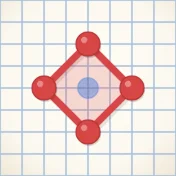
Take turns placing dots on the grid. Link your dots into walls, and close a wall around your rival's dots to capture them. The player with the most points wins.
Report a game issue
- Your device model, operating-system version and game version, if available.
- The game mode, what you expected, and the steps that caused the problem.
- A screenshot if useful. Remove notifications and other personal information first.
Where is my notebook saved?
Your coins, covers, pens and saved games are stored on your device. To keep a copy for a reinstall or a new phone, sign in to Google Play Games from Settings → Cloud save. We can't see or restore your saved games ourselves.
Why do I see ads?
Ads keep the game free. Rewarded videos are always your choice. There are no in-app purchases.
Privacy requests
Email us with your request. There is no JL Prime account to delete. See our privacy policy for more details.
Updated 5 November 2026